Tuesday, October 27, 2009

Placing Video Embed Code


The Assassin's Creed Trailer came out this week, and unlike the game, this trailer features live action footage. The interpretation is incredible. I think is so cool. They really should make a full movie. I would pay to see this.

In this example, we copied the embed code associated with a Youtube video and pasted it on to a blog post. The process is quite easy and I also recommend that as you post a video or picture, that you also write a small sentence or two about lending your opinion about the piece. Having both and image and text work together to make an engaging presentation.

Here are some images to help you with the process...

Copy the embed code from Youtube here:


Then, under Posting > Edit HTML Tab > paste the copied Youtube code. As seen below:

The Creative Blog: An Enhancement to any Website

I've had my website since 1999, and if I could do it all over again, I would simply make a blog, because it is easy to put together, you can update it from anywhere, you can post everything a website can do, like words, pictures, video and people can contact you through it. I'm pretty sure I could make it work as my main website, as I've seen many people do it. But that's not what happened...I have a regular website that I've designed in Photoshop and Dreamweaver but keep a Creative Blog as an enhancement to my site.

For those of you who have never designed before, and if you are wanting quick web presence, then a blog would be a smart decision for the reasons I mentioned. I've recommended this option for many instructors and they like the option. Designers, animators or game designers, will want a main website to showcase their work, and we'll get to that later, but before we do, a good move for you is to create a "creative blog" that will be an enhancement to your future site.

A blog can be about anything and I have many (yes, I went overboard and was hooked on the idea for a while - but I've calmed down a lot), I've used them to keep notes on images and videos I see on the internet to help me with research, another keeps track of my football scores, I post animation curriculum and my favorite...I use one as a source of creative inspiration for me and my students.

This is the blog that I maintain on a weekly basis and I love it, there are lots of funs things on it that inspire me and that I like to show my students:

http://randolfs.blogspot.com/

YOU will use your creative blog in this way...when you see something cool on the internet (which is pretty often), if it inspires you to make great work, if its funny, if it energizes you, if you think its a good example of great design or animation, maybe its an artist you admire, maybe its a cool website, you will post it on this blog. When you post it, it will be available to you for as long as you have the blog, and you will find great enjoyment watching it grow as you add posts and layers of inspiration to it. It is a great feeling and it gets better when you find that somebody out there finds what you are posting helpful and inspirational too. Its awesome, its simple, it spreads love and you can do it.

Some other benefits to creating a "Creative Blog":
  • It shows that you are in tune with your industry.
  • That you keep current.
  • It shows initiative on your part for learning a new technology.
  • Many professionals in your industry keep blogs.
  • These same professionals check one another's blogs.
  • It shows your interests (me, I like robots and awesome demo reels).
  • You can showcase works in progress, like sketchbook work.
  • Or current pieces that you like, but won't necessarily place in an online gallery.
  • Its dynamic, constantly changing and growing, where as your main website might not change as much.
  • Posts are automatically archived so you can look at the later (sometimes years later).
  • It can be easily organized with the use of labels.
  • Oh yeah, and did I mention that its FREE?
There are many blog formats out there, but the one I am most familiar with and the one I pitch most often is Blogger. I do so because of:
  • An easy interface (super easy to use)
  • From a design standpoint, the templates are nice and clean (this is huge).
  • Its owned by Google (Its still the number one search engine, and is not going anywhere).
  • You can customize the colors to make it feel like it is part of your main website.
  • You can place ads on it (we'll talk about this later - I heard Wordpress doesn't allow ads).
So go ahead, let's start by establishing webpresence by creating a blog for you. Start first by signing up for a google account. Or logon to the official blogger website, I think they are same thing.

Once you logon, establish a name for your blog, as well as a URL name. For example, my blog is called randolfs.blogspot.com, but my blog title is, "The Caged Tiger's Templar". Its nice if your blog title is somewhat creative. I usually play with word combinations to help me brainstorm great titles, so pull up Thesaurus.com to help you generate more options or keep a friend's email or phone number handy so you can run ideas by them. Don't worry if you don't find a cool name or URL, you can always change it later.

The next lesson, will be about how to customize your blog, and some of the best practices I put into place about posting images, text and videos on a blog. Save the webaddress to your blog, and we'll connect it to your homepage (this will be another lecture).

Good luck and have fun putting together your creative blog, if you have any questions, send them my way.

Do your best and have fun.

Introduction

I'm an animation instructor and I enjoy what I do, but before animating however, my background was in graphic design and illustration. I've been a lead corporate webdesigner for a Fortune 500 company for many years, I've had the pleasure of working with IBM Usability Groups in designing various sites, and I've freelanced for a variety of companies of various sizes.

In my journeys, I've worked with many talented marketing and design groups to help companies establish web presence, nowadays we all know that it is a crucial marketing tool, and most importantly, as a designer, I've experienced the joys and pitfalls of effective design pertaining to a website. I learned how large corporations use their sites to market themselves and how they make money.

Design and marketing go hand in hand, but for many of us wanting to establish web presence, design is not an expertise and it makes a huge difference. Welcome aboard! This blog will address some of the essentials of putting together your own creative website. It will cover the elements of putting together a great first impression for a visitor to your site within the first 3 seconds, this includes, design, color, usability, maintaining your site, blogs, using the site as marketing tool to showcase your work, posting demo reels, and later on, the use of ads and twitter to generate revenue from your site.

At the college I teach at, many instructors and students who are non design majors want to put together a website. The instructors want to use it to showcase their work, keep in contact with students and to make themselves more marketable. Let's face it, education is using the online medium more and more and so the marketable teachers are the ones who have some kind of online teaching experience. Many classes are solely taught online. We teach and encourage our students to put together a website so they can market their work, shouldn't the teacher know how to do this as well? If you are a teacher who is need of some kind of webpresence, never fear, this blog will help you out.

For my students, many of them have studied animation and game design for many years. They really haven't studied design in a way that a graphic design student has. So I show them the essentials and help them make kickbutt websites that will help them land jobs that they want.

I hope you will find this information helpful. Be sure to subscribe so you are updated of new posts so let's get started. My first post will be about putting together...

Creative Blogs

Wednesday, October 21, 2009

Changing Gears


This blog, had served its purpose in helping me to achieve my MFA in Computer Animation. It has been over a year since my completion of the program. Things are going well. I continue to teach animation, everyone is healthy and all is clear.

The focus of this blog will be shifting towards the subject matter of creating and maintaining blogs, and websites. I teach this subject matter in a class, and having a blog like this will be an invaluable resource.

I'm currently working on my first post about the benefits of having a blog in the next week or so.

Monday, September 29, 2008

60 FPS : Final Animation


60 FPS from randolfd on Vimeo.

Here is the final animation. Thanks to everyone who made this project a success. I wish all of you continued health and prosperity. I'm going to rest a bit, and after resting, will work on a new animation soon (perhaps "The Final Task" sequel).

Until next time...
Randolf Dimalanta 

Saturday, September 20, 2008

Mission Accomplished

As of Thursday Sept. 18. I finally passed the MFA Thesis Defense portion in order to achieve my degree. I'm currently making final changes to my animation and blog. Once they are completed in the next couple of days, I will post the link here.

Thanks to everyone for your support.

Randolf

Sunday, September 14, 2008

Checking In

I haven't posted in  awhile. Things are going well. The animation is as complete as it can be, my document is almost done, just a few citations to update, and just an upload to the blog site that presents my animation curriculum. 

I'm excited that the end is near (fingers crossed), I'm not done yet and will work like crazy to finish things off by Tuesday, with enough to put together a simple powerpoint presentation by Wednesday. 

Thanks to all of you for your support and encouragement. Here we go. 

Woo Hoo. 

Randolf

Wednesday, August 6, 2008

Saturday, July 5, 2008

60 fps: Week 13 Animatic


Almost done. I'm planning to go over the phoneme shapes for Ollie's mouth in the beginning and end of the animation. Check previous post for other changes left to do. 

Sunday, June 15, 2008

60 fps: Week 11 Animatic


Here is the latest animatic. I added more background noise, new end ollie shot, and a smoother reporter opening. Lots more stuff to do however during the next coming weeks.
  • Tone down room tone. Too loud. 6/24
  • First Ollie shot (betta performances you see)audio pops in dialogue (final cut).6/24
  • Ollie 2 (Check Phonemes). Check beginning and “Expert”
  • Ollie 3 (Both of these movements) Check tangents (smoother throughout.) 6/24
  • Reporter to Blue Guy “Body Language” Check Phonemes
  • Blue Guy Head, check tangents for smoothness at the end.
  • Sound for smoothness during box jumps (swooshes)
  • Ollie (after cowboy) shakespeare gesture, before hand goes on chin.
    Analyze the situation you see (move mouth more).
  • Reporter: Can you give us an example? Smooth out tangents.
  • Ollie smooth Mouth tangents.
  • Ollie smooth head tangents “Mother No”
  • Check Rig Creators
  • Refine acknowledgements list.

Tuesday, June 10, 2008

"Acting for Animation" Icebreakers

Introductions: Students interview each other for 10 minutes, and introduce each other.
"The Greatest Thing": Students get into groups. One person comes in and pitches the greatest thing he has ever seen. The others in the group act accordingly once they find out what that thing is.

"Poker Face" : Students are dealt Texas Hold Em hands. Once they see their cards, they have to make a face that is opposite of what they normally would express if they were to see this hand in a real game. The intensity must also be expressed.

I Love You Honey: Everyone sits in a circle, one person is in the middle. The person in the middle approaches a person and says "I Love You Honey", and the person must respond (without laughing), "I love you too, but I just can't smile". If the person laughs, they are IT.

Murder

King and Slave

Guess Who's Coming to Dinner.

Adjective Marathon

Moods Game

Waiting For The Bus.

Pokerface

Palm Tree, Elephant, Giraffe

Freeze with Props or Without

2 Line Vocabulary

Baby I love you honey

Questions Only

Saturday, June 7, 2008

Week 10.5 : 60 fps Animatic V.2


60 fps Animatic Week 10.2 from randolfd on Vimeo.


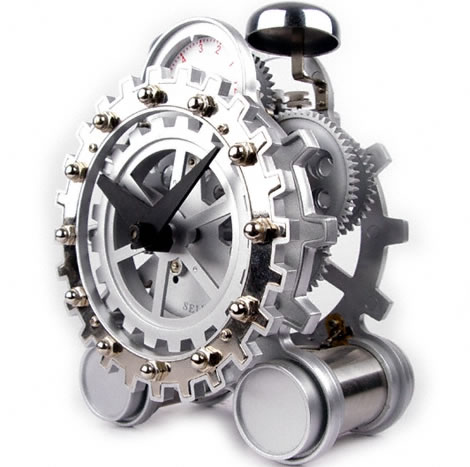
Update Clock Model

Reporter Opening Shot
  • "Integral Part" - Eyes are disappearing.
  • "Animated Production"
  • "And of course fear"
  • "Mood and personality"
  • "Free character rigs

Refine Ollie phonemes.


Ollie "step out I say, step out!" - Fix hix when looking into the camera.


Reporter Lip Sync "What would you say is the most important thing to remember."


Igor :
  • Looser Wrists on "Castle Door","Mahagony"


Drink Box -
  • Move faster when reporter says "happy", its too floaty.


Reporter:
  • Animate and Render "Interesting"


Cowboy-
  • Smother arcs during first surprise.
  • Same Ambition everybody else does.
  • Flick wrist: head down to the beach.
  • Remove movement to the right during "You know, its totally cool"
  • Knod head more "you know what I'm saying dude" for exaggeration.


Reporter
  • add lip movement "I see what you mean"


Ollie
  • Moves back to fast "what do you feel is the most important part"


Ollie: Crazy kind of Olive Loaf
  • Break wrists
  • Add height to body.
  • Smooth out head arc during "Balogne"


Reporter:
  • Follow through on "Give us an example"


Ollie: Last Mother No
  • Fix jaw, his teeth are coming out.
  • Lip sync on "you see"
  • "Talking to mother on the telephone"
  • Remove smile from first mother no.
  • Switch rez of body "completely different"
  • Open mouth on inhale "spoken to my mother in quite some time"
  • Lock eyes after "stuffing food in her purse"


Ollie: Last mother no.
  • Move mouth.

Tuesday, June 3, 2008